
Elevating Your Edit: Mastering Dynamic Still Image Animation in After Effects
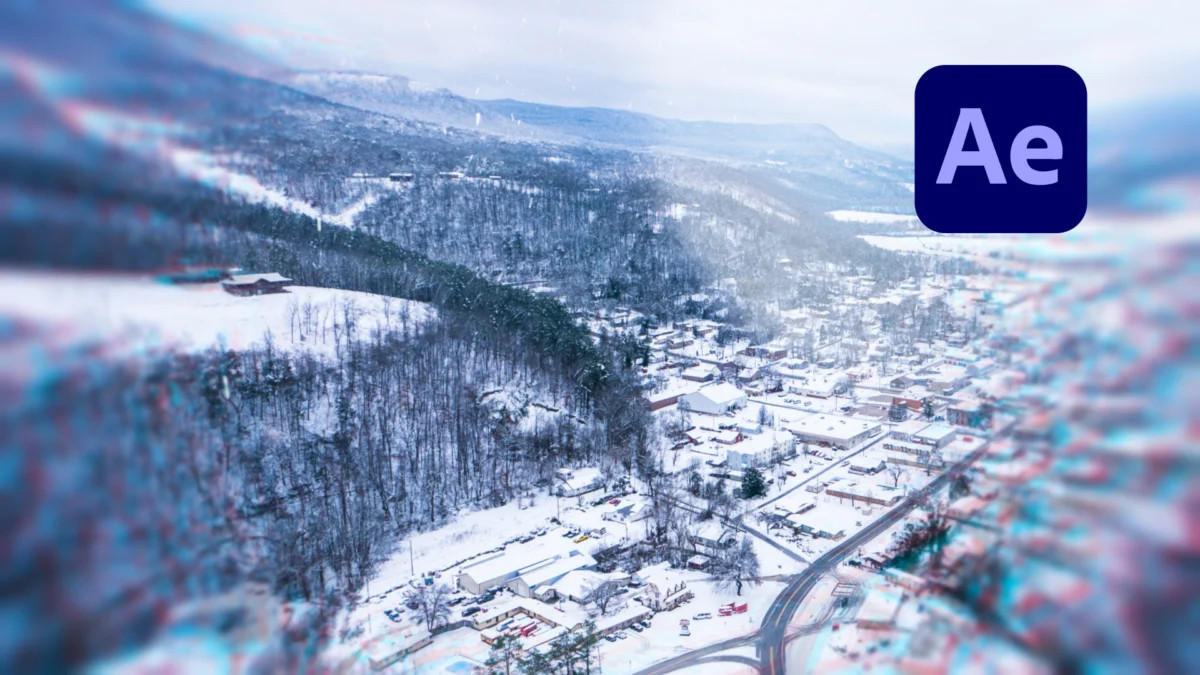
In the fast-paced world of digital content creation, the difference between a professional-grade video and one that feels amateurish often lies in the details. One of the most common pitfalls for editors is the reliance on static images. While a simple "Ken Burns" effect—slowly scaling an image to simulate camera movement—is a staple in the editor’s toolkit, it is often insufficient for modern, high-engagement content. To truly captivate an audience, editors must move beyond basic scaling and embrace more sophisticated, dynamic animation techniques.
Adobe After Effects remains the industry standard for this type of motion design. By leveraging its powerful 3D environment, masking capabilities, and compositing workflows, creators can breathe life into flat assets. This article explores four advanced methodologies to transform static imagery into compelling, cinematic video elements.
The Evolution of Still Image Animation: From Static to Cinematic
The history of photo animation is rooted in early documentary filmmaking, where directors lacked the ability to move a physical camera over historical photographs. The Ken Burns effect was a revolutionary solution, but in the era of social media, where visual attention spans are measured in seconds, static zooms no longer suffice.
Modern motion graphics rely on parallax, depth of field, and environmental layering to trick the viewer’s eye into perceiving three-dimensional space within a two-dimensional file. This evolution represents a shift from "showing a picture" to "creating a scene." By utilizing the following four techniques, editors can bridge the gap between photography and cinema.

1. Leveraging 3D Texture Layers for Depth
The first, and perhaps most effective, method for creating immediate visual interest is the integration of 3D texture layers. This technique mimics the physical layers of a real-world environment, creating a sense of parallax that feels organic and immersive.
The Technical Workflow
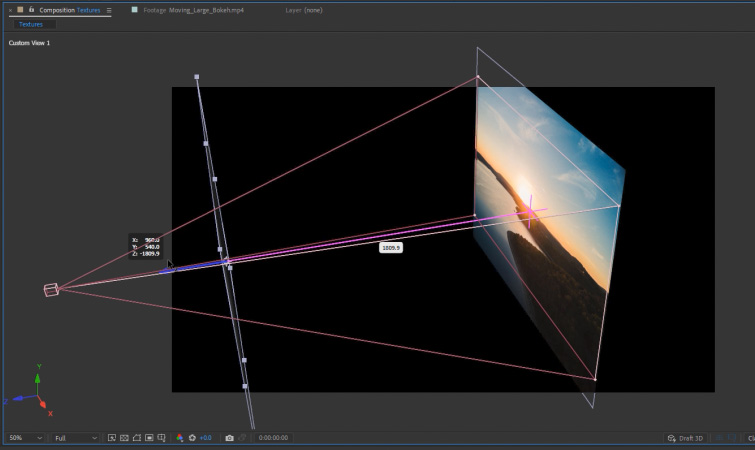
To begin, import your primary photo into your composition and toggle the 3D layer switch. Next, introduce a secondary texture—such as glass refractions, light leaks, or dust particles—and also designate it as a 3D layer.
The secret to this effect lies in spatial separation. By creating a new Camera layer and moving your texture layer closer to the camera in Z-space, you establish a foreground element that reacts differently to camera movement than the background photo. When you keyframe the Z-position of the camera, the foreground texture will appear to move at a different velocity than the background, generating a realistic sense of depth.
Why It Works
Human perception is wired to identify depth through motion parallax. When foreground elements move faster across the frame than background elements, our brains interpret the scene as a physical, three-dimensional space. By applying this to still images, you prevent the "flat" look that plagues amateur slideshow-style videos.
2. 3D Screen Animation and Spatial Manipulation
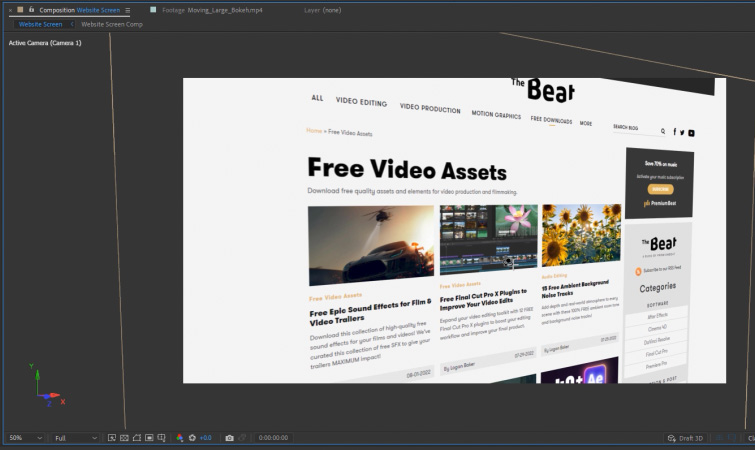
When dealing with user interface (UI) screenshots or website captures, the standard approach is to simply place the flat image on the screen. However, this often feels disconnected from the rest of the video. The 3D Screen Animation technique treats the image as a physical object within a 3D room.
The Implementation
- Setup: Make your screenshot a 3D layer and instantiate a two-node camera.
- Perspective: Rotate the image in 3D space so that it sits at an angle relative to the viewer.
- The Null Controller: Instead of animating the camera directly, create a Null Object, make it 3D, and parent the camera to it. This allows for complex, fluid rotations using the Null’s Y-Rotation property.
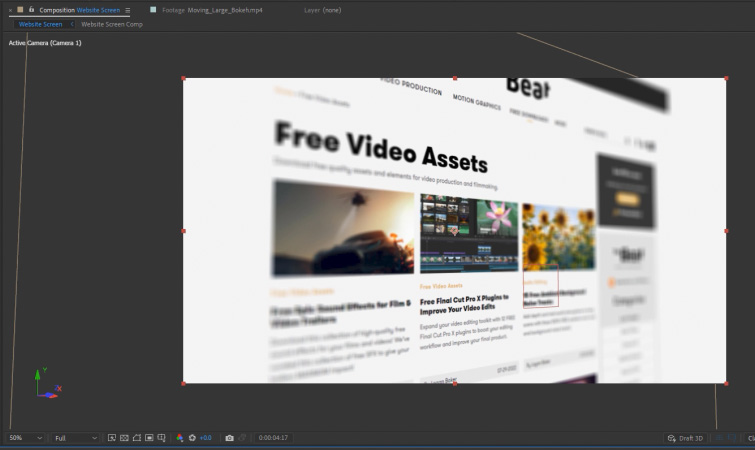
- Depth of Field: To finish, enable the camera’s Depth of Field settings. By adjusting the focus distance, you can blur out parts of the image that are not the current focal point, guiding the viewer’s eye exactly where you want it.
Professional Implications
This technique is vital for tech reviews, software tutorials, or any content requiring the presentation of digital data. It elevates a boring screenshot into a dynamic, "hero" element that feels integrated into the narrative flow of the edit.
3. The Power of Subject Masking and Foreground Isolation
Masking is the backbone of professional compositing. By isolating the subject of a photo from its background, you gain the ability to manipulate them independently, creating a "2.5D" effect that feels like a frozen moment in time.
Techniques for Dynamic Masking
Start by using the Pen tool or Roto Brush to cut out the main subject of your image. Once you have two distinct layers—the subject and the background—you can apply independent animation. For example, you might scale the subject slightly while keeping the background static, or introduce a subtle camera push that affects both layers at different rates.
Enhancing Focus
A powerful variation of this technique is the use of selective color grading. By keeping the subject in vibrant color while desaturating or blurring the background, you create a visual hierarchy. This not only makes the image more dynamic but also acts as a psychological tool to direct audience attention precisely where it is needed.
4. Integrating Animated Overlays
The final piece of the puzzle is the use of overlays—dynamic, semi-transparent layers that interact with your image through blending modes.
The Art of the Overlay
Whether it is bokeh, lens flares, dust, or snow, overlays add an atmospheric layer that ties your still image into the broader video project. The key is in the blending mode. By setting your overlay layer to "Screen," "Add," or "Multiply," you allow the underlying image to show through, creating a natural interaction between the light in the overlay and the colors in your photo.
Industry Standards
Professional editors often utilize light-leak or dust-and-scratch overlays to give digital photos a "film look." This texture adds a layer of imperfection that the human eye finds pleasing, effectively masking the digital sterility of a high-resolution screenshot or stock photo.
Supporting Data: Why Motion Matters
Research into audience retention metrics consistently shows that videos with high "micro-motion"—constant, subtle movement within the frame—experience higher completion rates. When a video stays on a static image for more than three seconds, viewer interest typically drops by 20–30%. By implementing the techniques outlined above, editors can sustain viewer engagement by providing a continuous, albeit subtle, stream of visual information.
Official Perspectives: The Professional Standard
Industry-leading motion designers often emphasize that these tools are not just "tricks," but essential components of visual storytelling. In a recent roundtable, broadcast designers noted that the "3D spatialization" of still assets is now expected in high-end commercial work. The goal is to move the viewer’s eye through the frame, turning a static moment into a journey.
Implications for Future Content
As we move toward an increasingly visual-first internet, the ability to manipulate static imagery will become a core competency for all digital storytellers. The tools currently available in After Effects—once reserved for high-end visual effects houses—are now accessible to independent creators.
Summary of Best Practices
- Prioritize Depth: Always look for ways to create a foreground, midground, and background.
- Embrace Parallax: Use 3D space to ensure objects move at different speeds.
- Control the Eye: Use Depth of Field and masking to dictate where the viewer looks.
- Add Texture: Use overlays to ground your images in a realistic, atmospheric environment.
By adopting these four pillars of animation, you ensure that your next video project will not only look professional but will actively engage your audience, turning every static image into a narrative asset. The era of the simple "Ken Burns" zoom is over; the future of video editing is three-dimensional, layered, and deeply dynamic.
