
Microsoft Supercharges Windows 11: Efficiency Gains, AI Integration, and a Modernized Photos Experience
In a significant push to optimize the user experience for its flagship operating system, Microsoft has begun rolling out a suite of performance-oriented updates for Windows 11. Following rigorous testing within the Windows Insider program, these enhancements are designed to address a common pain point among modern PC users: system responsiveness under memory-constrained environments. By refining how the OS manages data and introducing smarter background process execution, Microsoft is positioning Windows 11 as a more agile platform, particularly for devices equipped with 8GB of RAM or less.
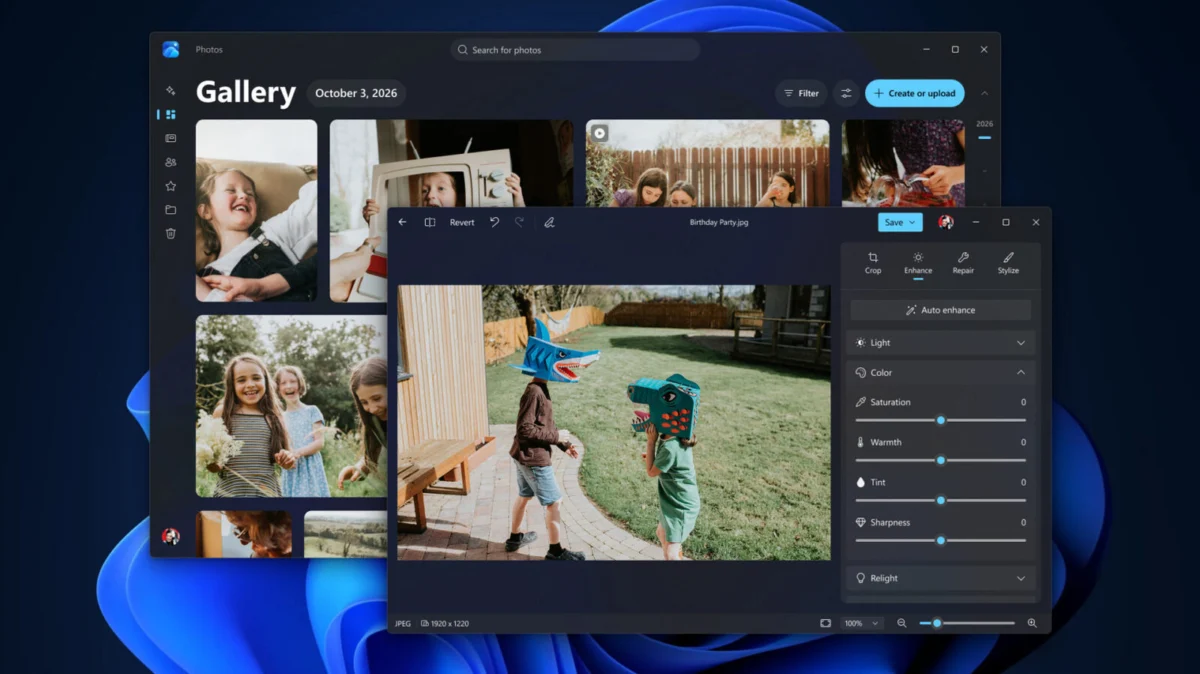
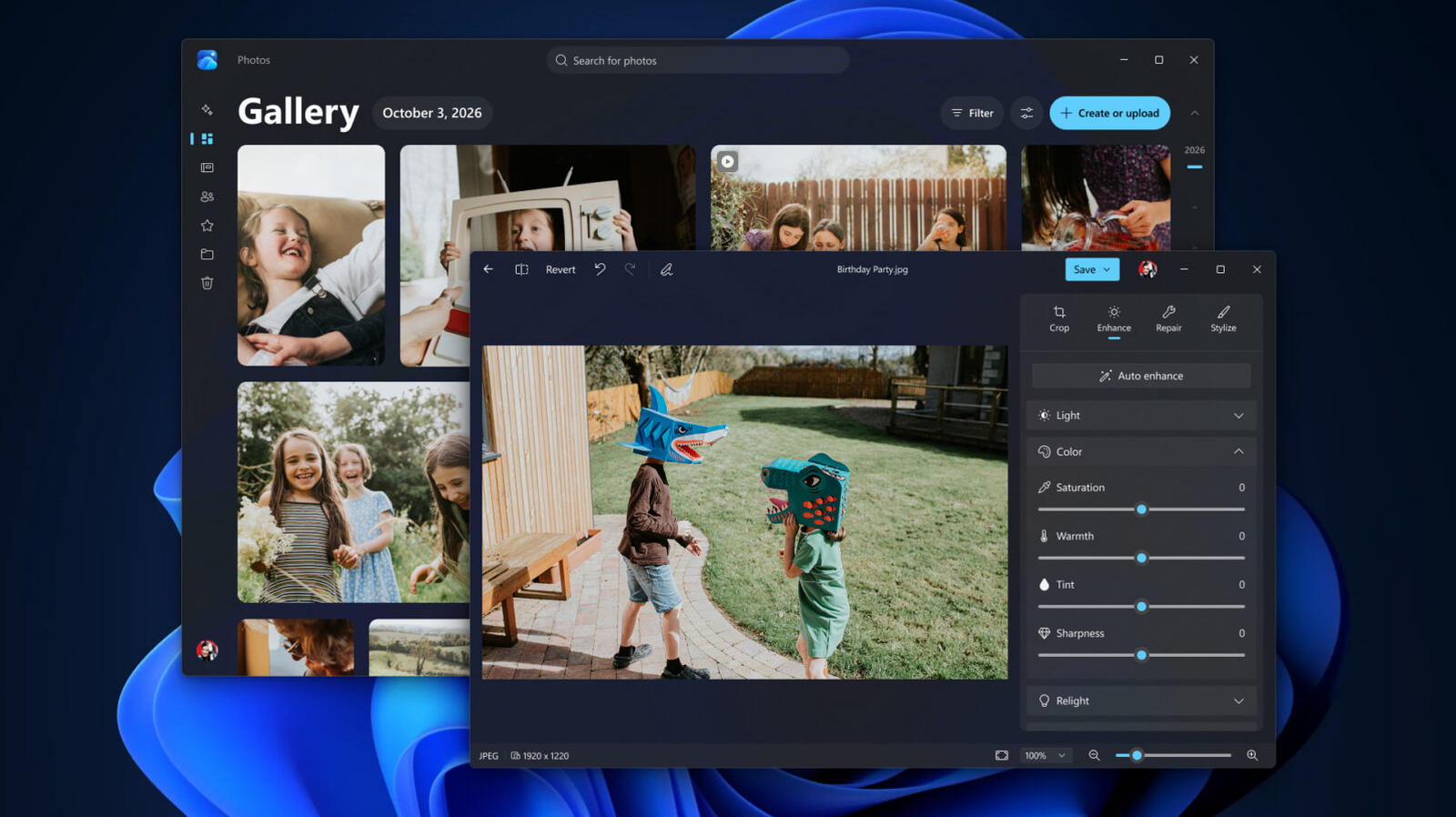
Alongside these architectural improvements, the company has unveiled a revamped, AI-powered Search interface and a modernized Photos application. These updates reflect Microsoft’s dual-pronged strategy: optimizing the underlying "plumbing" of Windows to increase raw performance while simultaneously embedding generative AI capabilities to simplify complex workflows.
The Performance Overhaul: Efficiency as a Priority
The core of the recent Windows 11 update lies in a series of deep-level optimizations to memory management. According to Navjot Virk, Corporate Vice President of Windows Experiences, the latest build of Windows 11 achieves up to a 20 percent increase in overall system responsiveness.
Bridging the Memory Gap
The technical breakthrough involves a refined approach to memory paging. Windows 11 can now retain up to 2GB of additional active data within the system’s physical RAM rather than offloading that data to slower secondary storage (such as an SSD or HDD). By keeping more active data in high-speed memory, the operating system reduces latency when users switch between intensive applications or navigate through dozens of browser tabs.
This improvement is particularly critical given the current state of the global hardware market. With AI data centers consuming massive quantities of high-bandwidth memory (HBM) and DRAM, the cost of consumer-grade RAM has remained stubbornly high, making memory upgrades for pre-built laptops and desktops increasingly expensive. For the average user stuck with an 8GB machine, this software-level efficiency gain acts as a vital performance buffer, effectively "reclaiming" overhead that was previously squandered.
Intelligent Resource Allocation
Microsoft has also implemented a more aggressive "on-demand" strategy for non-essential background processes. A primary example is the handling of the Windows Widgets panel. On systems with 8GB of RAM or less, Windows 11 will no longer keep the Widgets process active in the background. Instead, the OS will only load the widget framework when the user explicitly triggers the interface. This targeted approach frees up approximately 200MB of RAM—a significant margin for machines operating near their memory ceiling.
Chronology: From Insider Testing to Public Rollout
The path to these improvements has been deliberate, following Microsoft’s standard "Crawl, Walk, Run" deployment model.
- Initial Development Phase: Throughout the summer and early autumn of 2026, Microsoft engineers focused on telemetry-driven performance metrics, identifying specific bottlenecks in the Windows memory manager that disproportionately affected low-to-mid-range hardware.
- The Insider Beta (October 2026): Microsoft pushed the memory-management patches to the Windows Insider Dev and Beta channels. This allowed for real-world testing across a diverse array of hardware configurations, ranging from budget-tier laptops to high-end workstations.
- AI Search Integration (Late October 2026): Following the performance patches, Microsoft introduced the "Chatbot-Search" functionality to the Insider build, testing how AI-driven intent recognition affects CPU load.
- Public Release (Current): The performance enhancements and the updated Photos application have begun their transition to the stable release branch, with general availability expected to reach all Windows 11 users via the next cumulative update cycle.
Supporting Data and Technical Nuances
To understand the scale of these updates, it is necessary to look at the metrics provided by Microsoft’s internal performance engineering teams. The 20 percent responsiveness increase is not a monolithic number but an aggregate of several optimizations:
| Feature/Metric | Improvement |
|---|---|
| System Responsiveness | Up to 20% |
| Photos App Editor Load Time | 25% faster |
| Photos App Native Viewer | 30% faster |
| Memory Savings (Widgets) | ~200MB |
| Active Data Retention | +2GB in RAM |
Beyond raw speed, Microsoft has addressed the often-frustrating world of peripheral connectivity. Bluetooth headphone reliability—specifically regarding the pairing process for AirPods and other high-end wireless audio devices—has been overhauled to reduce handshake latency. Furthermore, the Windows Hello authentication protocol has been optimized to offer a more reliable and faster biometric "unlock" experience, minimizing the delay between waking a PC and reaching the desktop.
Official Responses and Strategic Vision
In his recent blog post, Navjot Virk emphasized that these changes are not merely "under the hood" tweaks but a fundamental shift in how Microsoft views the role of the operating system in an AI-dominated era.
"Our goal is to make Windows feel invisible—to remove the friction between the user’s intent and the execution of their tasks," Virk stated. "Whether it is managing how your browser tabs compete for resources or how quickly you can edit a photograph, every millisecond saved contributes to a more productive day."
Industry analysts suggest that Microsoft is under immense pressure to prove that Windows 11 remains a viable, high-performance platform despite the increasing hardware demands imposed by local AI processing (such as Copilot+ features). By focusing on memory efficiency, Microsoft is effectively buying time for its users, allowing them to remain on existing hardware configurations longer without feeling the "stutter" that typically defines aging systems.
Implications: A New Era for Windows 11
The implications of this update are three-fold: economic, technical, and user-centric.
The Economic Impact
By optimizing the OS for machines with lower RAM capacities, Microsoft is indirectly shielding the consumer from the "RAM tax" imposed by the current AI-hardware supply crunch. If a user can achieve a smooth multitasking experience on 8GB of RAM, they are less likely to feel forced into a premature, expensive hardware upgrade. This preserves the longevity of the existing installed base, which is crucial for Microsoft’s goal of maintaining Windows as the dominant global platform.
The Rise of the "Chatbot OS"
The integration of AI into Windows Search is perhaps the most visible change. By allowing users to perform complex, multi-step actions—such as "Search for photos from last Tuesday and create a slideshow"—directly within the search bar, Microsoft is moving away from the traditional "file explorer" paradigm toward a conversational interface. If successful, this changes Windows from a tool you operate to a partner you instruct.
The Modernization of Media
The revamp of the Photos app demonstrates that Microsoft has not forgotten the "everyday" experiences. By unifying local storage, OneDrive, and iCloud into a single gallery view, Microsoft is acknowledging the fragmented nature of modern digital photography. The increased load speeds for the Editor and Viewer are essential for this feature to feel competitive against web-based alternatives like Google Photos.
Conclusion
The latest Windows 11 update is a testament to the fact that optimization is just as important as innovation. While AI features often capture the headlines, the invisible work—memory management, faster Bluetooth handshakes, and reduced background overhead—is what keeps the computing experience seamless.
For the average Windows user, these updates mean a PC that feels "zippier" and more responsive, regardless of whether they are using a top-tier workstation or an entry-level laptop. As Microsoft continues to weave AI deeper into the fabric of the operating system, these performance gains will prove essential in ensuring that the future of computing remains accessible, efficient, and, above all, fast.
As these features transition from the Insider program to the broader public, users are encouraged to ensure their systems are updated to the latest build to take full advantage of these critical architectural improvements.
