
Solving the "Jaggies": A Professional Guide to Eliminating Aliasing in Action Camera Footage
In the world of high-octane filmmaking, action cameras—such as GoPros, DJI Osmo Actions, and various drone-mounted sensors—have revolutionized how we capture the world. They allow us to place cameras in impossible positions, capturing perspectives that were once the exclusive domain of Hollywood-budget rigs. However, these marvels of miniaturization often come with a significant optical trade-off: aliasing.
Aliasing, often referred to by editors as "stair-stepping" or "jaggies," manifests as jagged, pixelated edges on high-contrast lines. It is the bane of modern digital cinematography, particularly for creators who rely on compact hardware. This article explores the technical origins of aliasing, the limitations of traditional fixes, and the modern solution provided by the free FXAA plugin for Adobe After Effects.
Main Facts: Understanding the Aliasing Phenomenon
Aliasing is a distortion artifact that occurs when a digital sensor fails to sample an image at a high enough frequency to accurately represent the fine details of the scene. In signal processing, this is governed by the Nyquist-Shannon sampling theorem, which dictates that to accurately capture a frequency, one must sample it at a rate at least twice as high as the signal itself.
When an action camera’s sensor is too small to handle the incoming high-frequency detail, or when the optical system lacks a robust "Optical Low-Pass Filter" (OLPF), the camera essentially "guesses" the location of edges. This results in the characteristic "stair-step" patterns on straight lines, such as building edges, power lines, or the horizon.

The "Action Camera" Paradox
Why do these specific cameras suffer more than, say, a cinema-grade RED or ARRI camera?
- Sensor Real Estate: Action cameras use microscopic sensors to maintain their diminutive form factor. Smaller sensors inherently struggle with diffraction and sampling precision.
- Aggressive In-Camera Sharpening: Most action cameras apply heavy, non-reversible digital sharpening algorithms to make the footage "pop" straight out of the box. This artificial sharpening exacerbates aliasing, turning minor edge issues into highly visible, distracting artifacts.
- Compression Artifacts: Because action cameras often record at high frame rates and resolutions onto small SD cards, the bitrate can struggle to keep up with the complexity of the image. When an image is heavily compressed (H.264/H.265), the compression engine often struggles to distinguish between high-frequency detail and noise, causing aliasing to "shimmer" or "crawl" during movement.
Chronology: The Evolution of Post-Production Mitigation
For over a decade, video editors have struggled to find a balance between sharpness and clean, natural edges.
The Era of Global Blurring
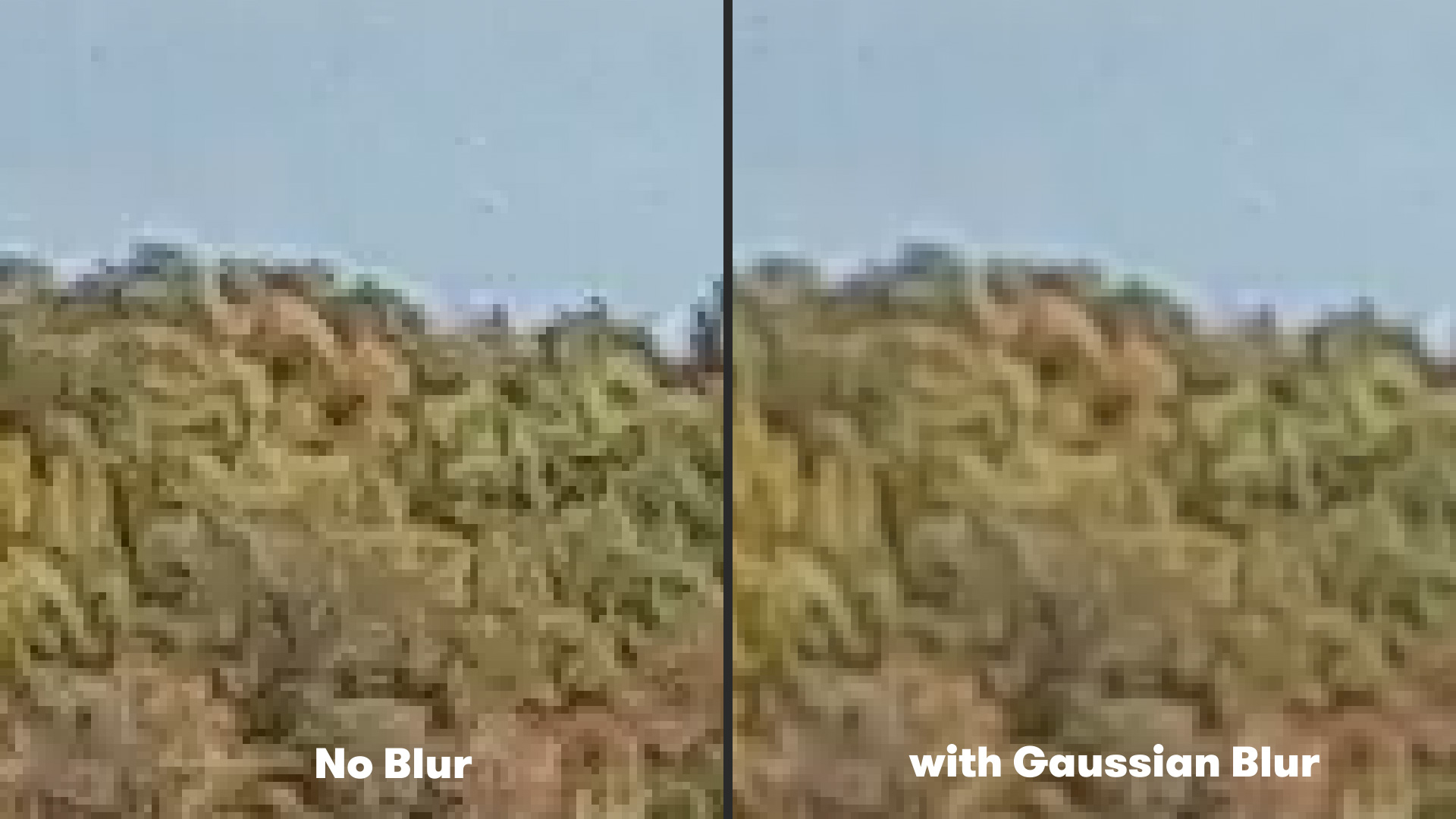
For years, the standard "fix" was the implementation of a Gaussian Blur. Editors would apply a global, light blur (usually set to a value of 1.0 to 2.0) across the entire frame. While this effectively softened the "stair-stepping" effect, it came at a high cost: the loss of micro-contrast and fine textures. By blurring the edges, you also blurred the skin, the gravel, and the fabric—leading to a "mushy" image that lacked professional definition.
The Shift to Smart Processing
As computing power increased, developers moved away from "dumb" blurs and toward edge-aware algorithms. This is where the industry began to borrow technology from the video game sector. Real-time rendering engines have used Fast Approximate Anti-Aliasing (FXAA) for years to make gaming graphics appear smooth without tanking the frame rate.
Supporting Data: Why FXAA Is the New Standard
The transition from Gaussian Blur to FXAA (Fast Approximate Anti-Aliasing) represents a shift from "corrective degradation" to "intelligent reconstruction."
How FXAA Works
Unlike a Gaussian Blur, which treats every pixel equally, FXAA is an edge-detection algorithm. It analyzes the luminance (brightness) of the image to identify high-contrast boundaries. It then applies a targeted, localized blur only to those specific jagged edges, leaving the rest of the image’s texture and detail intact.
Technical Comparison:
- Gaussian Blur: Affects the entire frame, lowers overall sharpness, and requires manual masking if you want to preserve specific details.
- FXAA: Analyzes pixel-by-pixel, targets only high-contrast transitions, and maintains the integrity of the overall frame.
Because the math behind FXAA is computationally inexpensive, it is exceptionally fast. In a professional workflow, this allows editors to apply the effect as a final pass in their color-grading or finishing suite without significantly increasing render times.
Official Recommendations and Workflow
To implement this fix in Adobe After Effects, the process is streamlined and highly effective.
- Download and Install: Obtain the free FXAA plugin from Plugin Everything. It is widely regarded in the post-production community as the most efficient implementation for Adobe environments.
- Application: Once installed, import your action camera footage into an After Effects composition.
- Effect Selection: Navigate to the Effect menu, scroll down to the Plugin Everything sub-menu, and select FXAA.
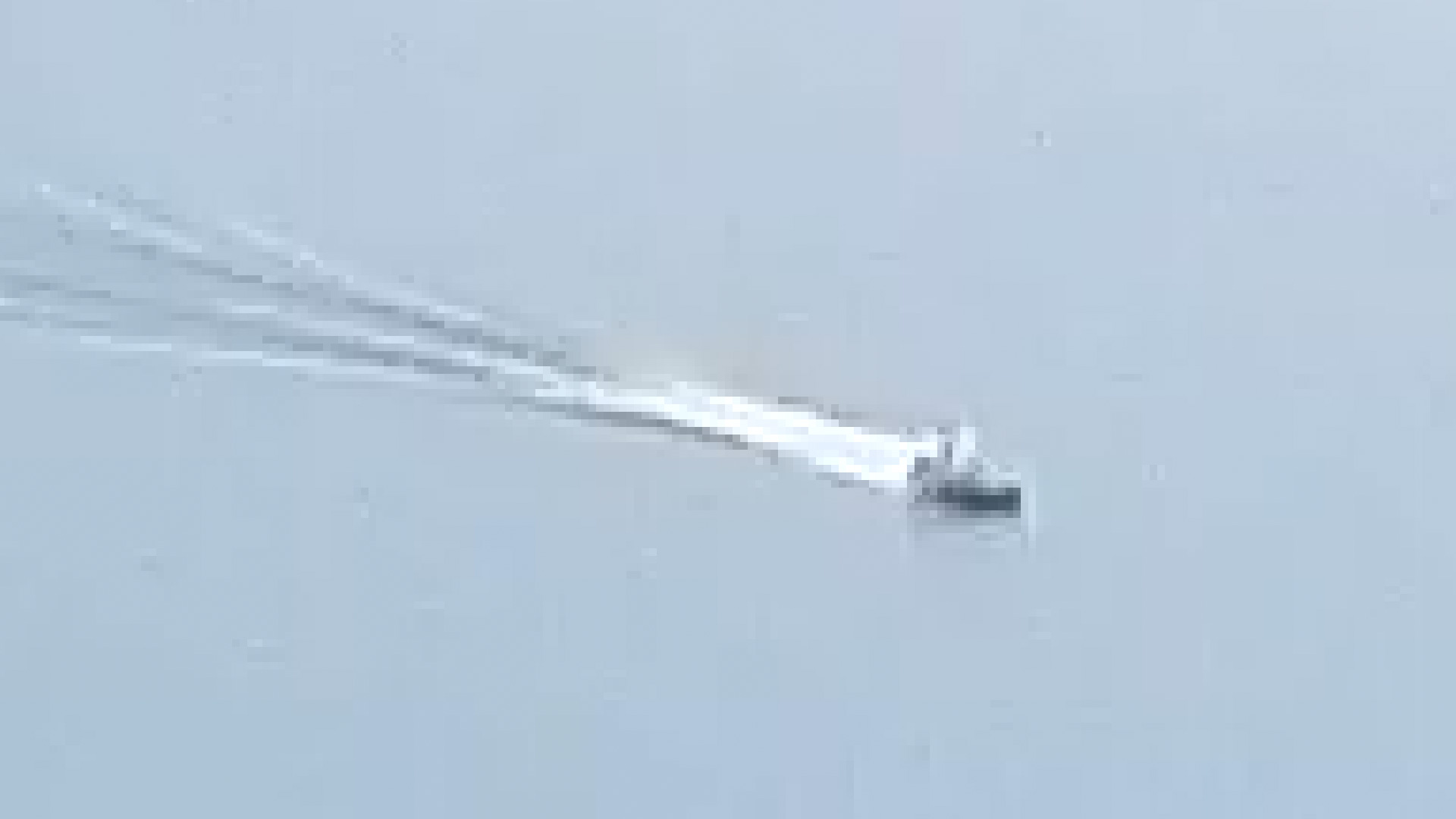
- Refinement: For particularly challenging footage, such as high-contrast drone shots over water, you can stack multiple instances of the plugin. By applying the effect twice, you can target stubborn artifacts that the first pass might miss.
Pro-Tip: Always apply sharpening before you apply your anti-aliasing plugin. If you sharpen your footage as a final step, you will simply re-introduce the aliasing you just worked so hard to remove.
Implications: The Future of Small-Sensor Cinematography
The rise of accessible anti-aliasing tools has profound implications for independent filmmakers. We are currently in an era where the "look" of a film is increasingly determined by software rather than just hardware.
Democratizing Quality
By utilizing free, community-driven tools like FXAA, independent creators can bridge the gap between "consumer-grade" action camera footage and the professional, cinematic look of large-format sensors. This allows for a more fluid workflow where a creator can mount a camera to a helmet or a drone without worrying that the resulting footage will be unusable in a professional broadcast or theatrical environment.
The "Look" of the Future
However, there is a caveat. As we rely more on post-processing to "fix" our images, there is a risk of losing the raw, tactile quality that defines cinematography. The goal of using tools like FXAA should be to achieve an image that feels natural—not one that feels "over-processed." The most effective use of these tools is to remove the digital distractions that pull the viewer out of the story, allowing the content of the footage to remain the focal point.
Beyond Action Cameras
While this article focuses on action cameras, the implications extend to cell phone cinematography. As modern smartphones push their computational photography and video features to the limit, they often introduce the same "over-sharpened" look that action cameras do. Using anti-aliasing techniques like FXAA is becoming a standard best practice for anyone editing mobile-captured content for social media, YouTube, or short-form documentaries.
Conclusion
Aliasing is a byproduct of the physics of small sensors, but it is no longer a permanent flaw. Through the smart application of edge-detection algorithms like FXAA, filmmakers can take control of their footage, smoothing out the digital edges and delivering a polished, professional final product. As these tools continue to evolve, the distinction between high-end cinema equipment and the action cameras in our pockets continues to blur—ironically, in the best way possible.
