
Mavis Camera 8.2 Push iPhone Filmmaking Boundaries with Variable Aperture, ProRes RAW to SSD, and Pro HDMI Outputs
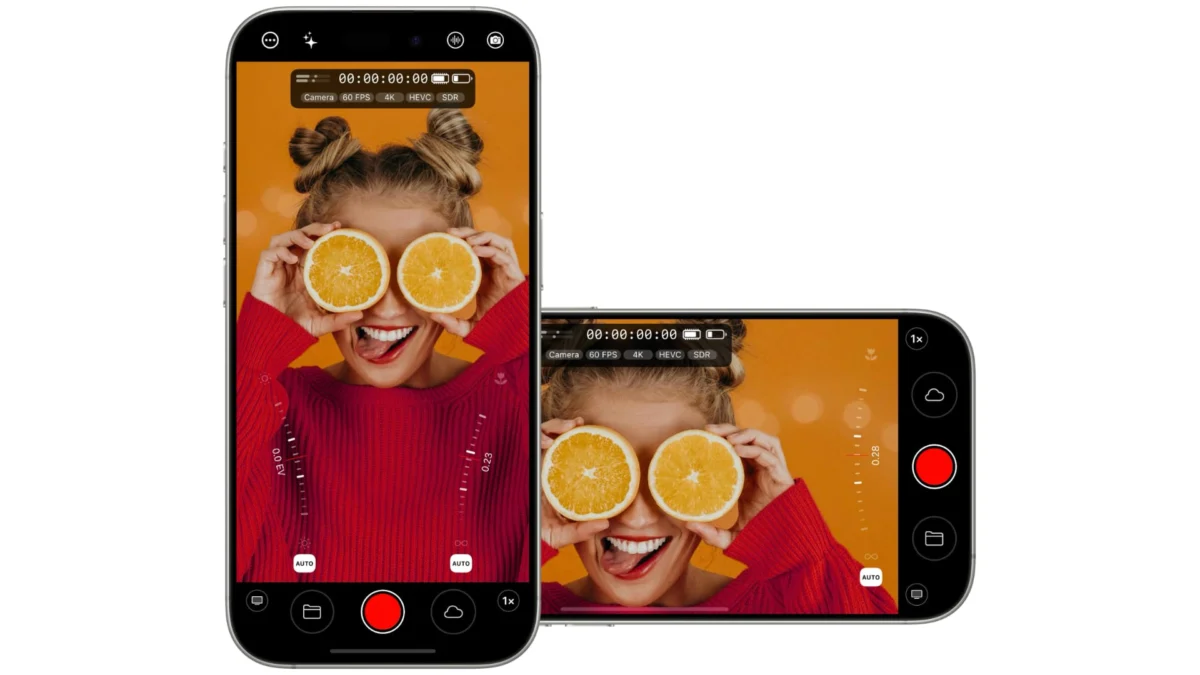
SAN FRANCISCO — In a move that further blurs the line between high-end digital cinema cameras and pocket-sized mobile devices, Mavis has officially launched Mavis Camera 8.2. The latest iteration of its flagship iOS and iPadOS professional cinematography application brings robust support for Apple’s newest hardware, the iPhone 18 Pro and iPhone 18 Pro Max. Most notably, version 8.2 unlocks granular, real-time control over the devices’ newly minted variable aperture systems.
While Apple itself has begun paving the way for native pro-level integrations—such as the simultaneous release of Final Cut Camera 2.4—Mavis has aggressively raised the industry stakes. By introducing direct-to-SSD Apple ProRes RAW recording, low-latency HDMI monitoring with full metadata overlays, and a versatile WebSocket API for custom production workflows, Mavis Camera 8.2 transforms the iPhone 18 Pro into a legitimate, broadcast-ready B-cam or primary capture device for independent filmmakers, documentary crews, and live production environments.
Main Facts
Mavis Camera 8.2 introduces a suite of advanced features aimed squarely at professional videographers and mobile journalists:
- Variable Aperture Control: Full manual or automatic control over the iPhone 18 Pro and iPhone 18 Pro Max’s physical variable aperture system. Adjustments can be made seamlessly while actively recording via the hardware Camera Control Wheel or intuitive onscreen thumbrails.
- ProRes RAW to External SSD: Universal support for capturing ProRes RAW (including 4K and Open Gate resolutions) directly to connected external solid-state drives across all supported iPhone models.
- Low-Latency Professional HDMI Output: Clean or status-infused video feeds via a compatible HDMI adapter, featuring a measured latency of just two frames at 29.97 fps, complete with frame-rate matching.
- Comprehensive HDMI Monitoring Tools: Ability to push critical monitoring overlays—such as focus peaking, zebras, false color, audio meters, framing guides, aspect-ratio masks, and tally lights—onto external field monitors.
- WebSocket API Integration: A new local-network API allowing external hardware, software, and multi-camera production environments to remotely control and monitor the app.
- Flexible Pricing Model: The core app remains free to download. Key pro features like variable aperture, ProRes RAW, and HDMI out are included at no additional cost, while advanced integrations like the API are available via a new $29.99 annual subscription or standalone in-app purchases.
Chronology: The Evolution of Professional iOS Cinematography
The path to Mavis Camera 8.2 has been paved by years of steady hardware advancements by Apple and software engineering by third-party developers who refused to treat the iPhone as merely a "casual snapshot" device.
Early Days of Mobile Video (2014–2018)
When the iPhone first gained mainstream traction as a video camera, mobile videographers were largely restricted to Apple’s native camera app, which locked down shutter speed, ISO, and focus. Recognizing a massive market gap, developers rushed in. Mavis was among the pioneers, conceptualizing a tool that could bring true cinematic manual controls—waveforms, manual audio gains, and custom bitrates—to iOS devices.
The Multi-Lens and Log Era (2019–2023)
As Apple introduced multi-lens arrays (Ultrawide, Wide, Telephoto) and advanced computational photography pipelines, the challenge for apps like Mavis shifted from unlocking basic exposures to managing complex sensor switching, HDR video merging, and eventually, Apple ProRes and Log encoding. The introduction of external USB-C recording capabilities on recent iPhone generations finally freed mobile creators from internal storage constraints, turning the phone into a tethered production machine.
The Hardware Leap: iPhone 18 Pro and Version 8.2 (Present)
The release of the iPhone 18 Pro family marked a monumental shift in mobile optics by introducing physical variable aperture controls—a feature traditionally reserved for standalone mirrorless and DSLR cameras. Capitalizing on this immediately, Apple updated Final Cut Camera, but Mavis went further. By developing Mavis Camera 8.2 concurrently with the hardware launch, the company secured day-one compatibility, marrying physical optical control with deep RAW data workflows and broadcast-grade monitoring solutions.
Supporting Data & Technical Deep Dive
To understand the weight of Mavis Camera 8.2, one must look closely under the hood at how these features interact with the iPhone 18 Pro architecture.
Optical Control: The Variable Aperture
On the iPhone 18 Pro and iPhone 18 Pro Max, Mavis Camera 8.2 interfaces directly with the newly engineered lens mechanics. Unlike software-simulated depth-of-field tricks, the physical aperture alters the amount of light hitting the sensor and modifies optical depth of field natively.
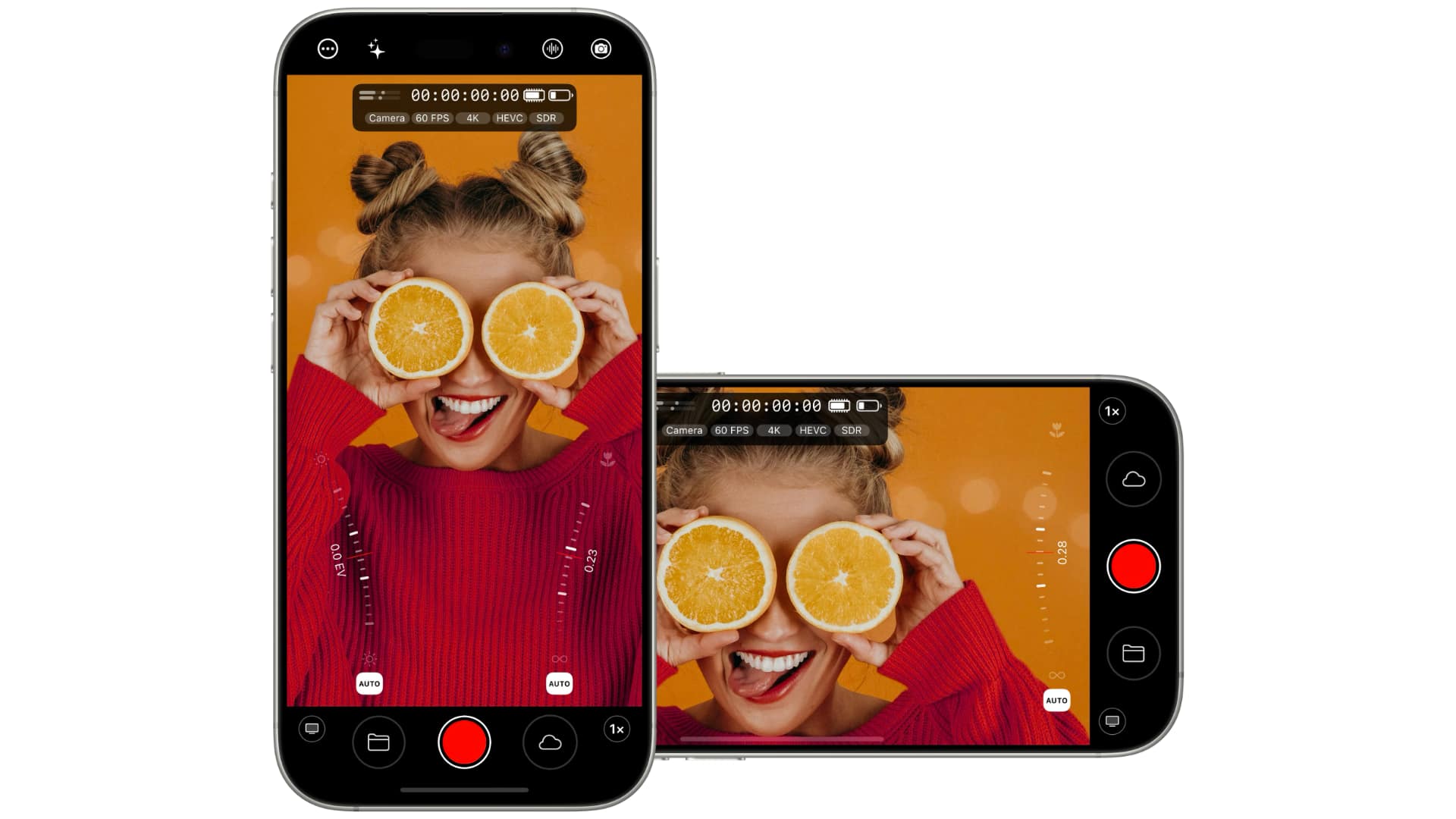
- Adjustment Methods: Cinematographers can manipulate the iris using the physical Camera Control Wheel on the side of the device or by dragging precision onscreen thumbrails.
- On-the-Fly Flexibility: Crucially, the aperture can be adjusted mid-shot. This allows operators to compensate for changing lighting conditions dynamically (such as walking from a dark interior into bright sunlight) without introducing the digital artifacting or shutter-speed compromises associated with electronic gain adjustments. It operates smoothly within both manual exposure modes and fully automatic exposure routines.
ProRes RAW and External SSD Storage
Bitrate bottlenecks have historically limited mobile RAW workflows. Mavis Camera 8.2 overcomes this by optimizing pipeline efficiency to stream high-bandwidth data straight to external solid-state drives via USB-C.
- Resolution and Formats: Users can capture demanding formats, including 4K and Open Gate (maximizing the full sensor area for later reframing), encoded in pristine Apple ProRes RAW.
- Universal Application: While the variable aperture is tied to the iPhone 18 Pro hardware, the ProRes RAW recording engine is deployed across all supported iPhone models running the app, democratizing high-end RAW cinema capture for older hardware iterations as well.
HDMI Output and Monitoring Workflows
The addition of robust HDMI output elevates the iPhone from a handheld unit to a studio-integrated capture device.
- Low Latency Performance: Field tests of version 8.2 running through a compatible HDMI adapter clocked output latency at an impressive two frames at 29.97 fps, making it responsive enough for focus pullers and live-action monitoring.
- Refresh Rate Syncing: The app can intelligently match the HDMI output refresh rate directly to the camera’s internal capture frame rate, eliminating judder and frame-mismatch issues on external displays.
- Signal Customization: Users can toggle between a clean video feed and an info display feed. The info display overlays critical metrics onto the external monitor, including:
- Current exposure settings (Shutter, ISO, Aperture)
- Focal length and lens selection
- Recording state and timecode
- Capture format and active codecs
- Real-time audio levels
- Device thermal and battery status
- Professional Overlays: Field assist tools—traditionally found only on dedicated cinema monitors—can be burned into or overlaid on the HDMI signal, including tallies, framing guides, aspect-ratio masks, focus peaking, zebras, and false color maps.
The WebSocket API and Automation
Perhaps the most enterprise-forward addition in version 8.2 is the WebSocket API.
- Network Control: External applications, hardware controllers, and multi-camera production switchers can now establish a local network connection with the iPhone running Mavis Camera.
- Granular Commands: Via this connection, operators can remotely trigger recording, adjust exposure, lock focus, shift white balance, control zoom, switch lenses, trigger tally lights, and execute color shading. The API also pushes real-time telemetry back to the controller whenever camera parameters change.
- API Playground: To lower the barrier to entry for developers and technical directors, Mavis has included a built-in, browser-based API Playground. This allows users to test and experiment with remote controls instantly without writing a single line of custom code.
Pricing and Packaging Strategy
Mavis continues to balance accessibility with professional-tier monetization through a hybrid pricing structure:
- Free Core Tier: Mavis Camera 8.2 remains a free download on the App Store. Essential high-end upgrades—including variable aperture control, ProRes RAW recording, and HDMI output—are included entirely free of charge.
- Subscription Model: A newly introduced annual subscription is priced at $29.99 per year. This all-inclusive tier unlocks every feature found across the Pro Pack, Film Kit, NDI modules, and the new API.
- Perpetual Licenses: For users who prefer a la carte purchasing, Mavis honors existing one-time in-app purchases. Furthermore, the advanced API access can be acquired as a standalone $19.99 one-time in-app purchase for those who do not wish to enter an ongoing subscription.
Industry Implications
The release of Mavis Camera 8.2 marks a watershed moment for the micro-budget filmmaking and broadcast industries. For years, mobile video production faced an "uncanny valley" of professional utility: while the sensors were undeniably sharp, the lack of hardware integration, physical optical controls, and standardized monitoring kept phones pigeonholed as consumer tools.
By harnessing the physical variable aperture of the iPhone 18 Pro and coupling it with industry-standard protocols like ProRes RAW, low-latency HDMI monitoring, and WebSocket network control, Mavis has systematically checked off every box on a professional cinematographer’s wishlist.
Impact on Independent Production
For indie filmmakers, the economic implications are profound. An iPhone 18 Pro outfitted with Mavis Camera 8.2 and an external SSD can now match the form factor and pipeline requirements of cinema cameras costing multiple times as much. Directors can mount the phone in tight, inaccessible locations—such as car interiors, crash-cam rigs, or gimbal setups—and maintain absolute, remote WebSocket control over exposure, focus, and framing from a video village or switcher setup.
The Multi-Camera Live Event Space
Moreover, the combination of clean/info HDMI output, frame-rate syncing, and tally integration opens the door for iPhones to be utilized as live-streaming or broadcast multi-cam units. Production switchers can pull feeds directly from mobile devices with professional metadata intact, integrating pocket-sized cameras seamlessly into traditional broadcast switchboards.
As software developers continue to unlock the hidden depths of Apple’s silicon and hardware innovations, apps like Mavis Camera 8.2 prove that the future of cinematography is no longer bound by the heavy, legacy constraints of traditional glass and metal bodies. The mobile studio has officially arrived.
