
Blackmagic Design Releases DaVinci Resolve 21.1.1: A Comprehensive Maintenance Update Focused on Professional Workflows
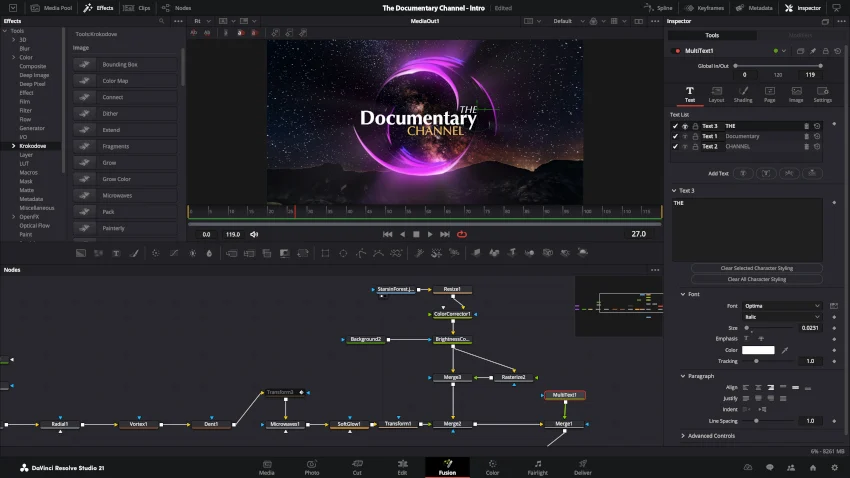
HOLLYWOOD, CA — Following the expansive feature rollout of the major DaVinci Resolve 21.1 release, Blackmagic Design has officially introduced DaVinci Resolve 21.1.1. This focused maintenance update is engineered to address micro-efficiencies across everyday editing, advanced audio design, Fusion visual effects, and collaborative multi-user post-production environments.
Rather than aiming to introduce groundbreaking creative paradigms, version 21.1.1 targets the practical bottlenecks, connectivity hitches, and workflow friction points that professional editors, colorists, and post-production facilities encounter daily. From enhanced Trim Editor capabilities and native USAC audio decoding on Windows 11 to broadened camera format support and API optimizations, this update solidifies the operational stability of the Resolve ecosystem.
Both the free edition of DaVinci Resolve 21.1.1 and the commercially licensed DaVinci Resolve 21.1.1 Studio are available immediately for download via the Blackmagic Design support portal.
Main Facts: What’s New in Resolve 21.1.1
The latest maintenance patch brings targeted enhancements across nearly every page of the application. The primary feature additions and operational upgrades include:
- Advanced Trim Editor Controls: Viewer-based trim actions can now target and modify all selected edit points simultaneously. Furthermore, mouse-based trimming now incorporates real-time audio previews, and the viewer natively supports the editing of audio-only clips.
- Fusion Inspector Stack Management: The update resolves long-standing management issues when applying multiple instances of the same Fusion effect to a single clip, ensuring independent parameter control in the Inspector.
- Windows 11 USAC Audio Decoding: Native decoding support for Unified Speech and Audio Coding (USAC) has been integrated for Windows 11 platforms, streamlining the handling of modern speech-and-audio-combined MPEG streams.
- Canon EOS R8 Mark II CR3 RAW Support: Expanding Blackmagic’s camera-format matrix, the software now supports native CR3 RAW decoding for Canon’s latest hybrid mirrorless system.
- Optimized Collaboration & Performance: Multi-user project connectivity has been fortified to prevent dropped states in collaborative workflows, accompanied by improved NVIDIA decode memory efficiency for select R3D clips and a fix for a Fusion-page Magic Mask slowdown.
- Developer API Extensions: Automated pipeline architectures benefit from new asynchronous API operations and expanded node-layer grading support via
ApplyGradeFromDRX.
Chronology of the Release Cycle
To understand the positioning of DaVinci Resolve 21.1.1, it is essential to view it within Blackmagic Design’s systematic development timeline.
- Late 2024 / Early 2025 (The Resolve 21 Era): Blackmagic Design established the foundational framework of version 21, shifting industry standards toward deeper AI integration, cloud-native collaboration infrastructure, and refined color science processing tools.
- The 21.1 Milestone: This major point-release introduced heavy-hitting structural features, expanded toolsets across Fairlight and Fusion, and pushed the software’s performance envelope further into high-resolution and high-frame-rate pipelines.
- The 21.1.1 Maintenance Drop: Immediately following the widespread adoption of 21.1, user feedback highlighted specific edge cases—ranging from timeline trimming friction in long-form narratives to multi-user server handshakes and codec ingest hurdles. Version 21.1.1 was engineered as an agile response to stabilize these domains before the next major quarterly software cycle.
Supporting Data and Deep-Dive Feature Breakdown
1. Precision and Efficiency in the Trim Editor
Long-form editors and assistant editors working with dense timelines stand to benefit the most from the Trim Editor upgrades in version 21.1.1. Previously, executing coordinated edits across multiple disjointed cuts required repetitive tool switching or tedious, one-by-one adjustments.
With the 21.1.1 update, viewer-based trim actions can now ripple across all currently selected edit points. Additionally, the integration of audio previews directly into mouse-based trimming operations allows editors to rely on acoustic cues alongside visual waveforms when establishing precise split points.
Perhaps most notably, the viewer now supports audio-only clip editing. This opens up streamlined workflows for sound designers, dialogue editors, and music supervisors who often operate within a video-centric NLE but need to manipulate raw audio elements without visual reference tethers.
2. Streamlining Fusion Effect Stacks
The Fusion page inside DaVinci Resolve is a powerhouse for node-based compositing and motion graphics, but applying multiple instances of the same effect to a single timeline clip historically created management clutter in the Inspector panel.
Resolve 21.1.1 refines how these effect instances are structured and exposed in the user interface. By preventing multiple instances from conflating or masking their respective parameters, artists gain direct, granular control when stacking identical effects with disparate keyframed settings. This minimizes the risk of parameter bleed and keeps complex motion graphics layers easily navigable.

3. Expanded Codec and Ingest Capabilities: USAC and Canon CR3
As broadcast and digital delivery standards evolve, post-production suites must ingest increasingly diverse media footprints.
- USAC Audio Decoding: Windows 11 users now enjoy native decoding for Unified Speech and Audio Coding (USAC). As an advanced MPEG standard designed to maximize efficiency for mixed speech and general audio content, USAC integration means editors no longer have to rely on external transcoding tools for certain modern transmission and archiving formats.
- Canon EOS R8 Mark II CR3 Support: Hybrid shooters leveraging the Canon EOS R8 Mark II can now bring raw
.CR3photo files directly into their DaVinci projects. This is particularly valuable for multimedia workflows, documentary production, and virtual art departments where stills and motion assets must live harmoniously inside the same project database.
4. Enterprise-Grade Collaboration and API Enhancements
Professional post-production relies heavily on multi-user environments where assistants, editors, colorists, and VFX artists work simultaneously on a shared project server. Version 21.1.1 introduces critical connectivity patches designed to eliminate random disconnections and project-locking anomalies in collaborative setups. Furthermore, NVIDIA decode memory management for R3D NE clips has been optimized, directly improving playback fluidity on Windows and Linux systems running high-end NVIDIA architecture.
For studio automation and pipeline developers, the inclusion of asynchronous API support for key operations—alongside the new ApplyGradeFromDRX node-layer capability—allows facilities to deeply integrate Resolve into custom-built asset management and automated rendering pipelines.
Official Industry Implications
While point-releases like 21.1.1 rarely dominate marketing headlines in the same way a major version upgrade does, their operational implications for the professional post-production industry are profound.
Major finishing houses, broadcast networks, and independent boutique studios operate on strict delivery schedules. In these high-stakes environments, even minor software bugs—such as a localized slowdown in the Magic Mask tracker or dropped connections on a shared collaborative database—can translate into thousands of dollars in lost productivity.
By prioritizing stability, speed, and real-world ingest compatibility (such as Windows USAC audio and Canon R8 Mark II CR3 support), Blackmagic Design is signaling a commitment to reliability. The update demonstrates that ecosystem maturity is just as important as the introduction of flashy new AI or generative tools.
Free Edition vs. DaVinci Resolve Studio
True to Blackmagic Design’s accessibility philosophy, DaVinci Resolve 21.1.1 is distributed in two distinct tiers:
- DaVinci Resolve 21.1.1 (Free Edition): Available at no cost, this version offers an uncompromised toolset capable of editing, color grading with the legendary DaVinci color wheels, Fairlight audio mixing, and Fusion effects work at unlimited resolutions. However, project mastering and rendering exports are capped at Ultra HD (3840 x 2160) and below, and hardware acceleration is limited to a single processing GPU on Windows and Linux platforms.
- DaVinci Resolve 21.1.1 Studio ($295 USD): The commercial tier unlocks the full potential of high-end finishing pipelines. Studio adds support for multiple GPUs, 4K and higher deliverables, advanced temporal and spatial noise reduction, motion blur, AI-driven tools (such as Voice Isolation and the neural engine features), stereoscopic 3D workflows, remote rendering, and Blackmagic’s extensive suite of immersive audio and HDR grading tools.
Technical support for the free version is managed via the active community-driven Blackmagic Design user forums, while Studio licenses include direct customer support channels.
Conclusion
DaVinci Resolve 21.1.1 may be a modest step in terms of version numbering, but its real-world impact on daily operational speed is substantial. By refining the Trim Editor, smoothing out Fusion effect management, expanding native codec support, and reinforcing collaborative server stability, Blackmagic Design continues to position DaVinci Resolve as one of the most reliable, comprehensive end-to-end post-production suites available on the market today.
