
DaVinci Resolve 21.1.2: Blackmagic Design Turbocharges Workflow Efficiency with Significant Performance Gains
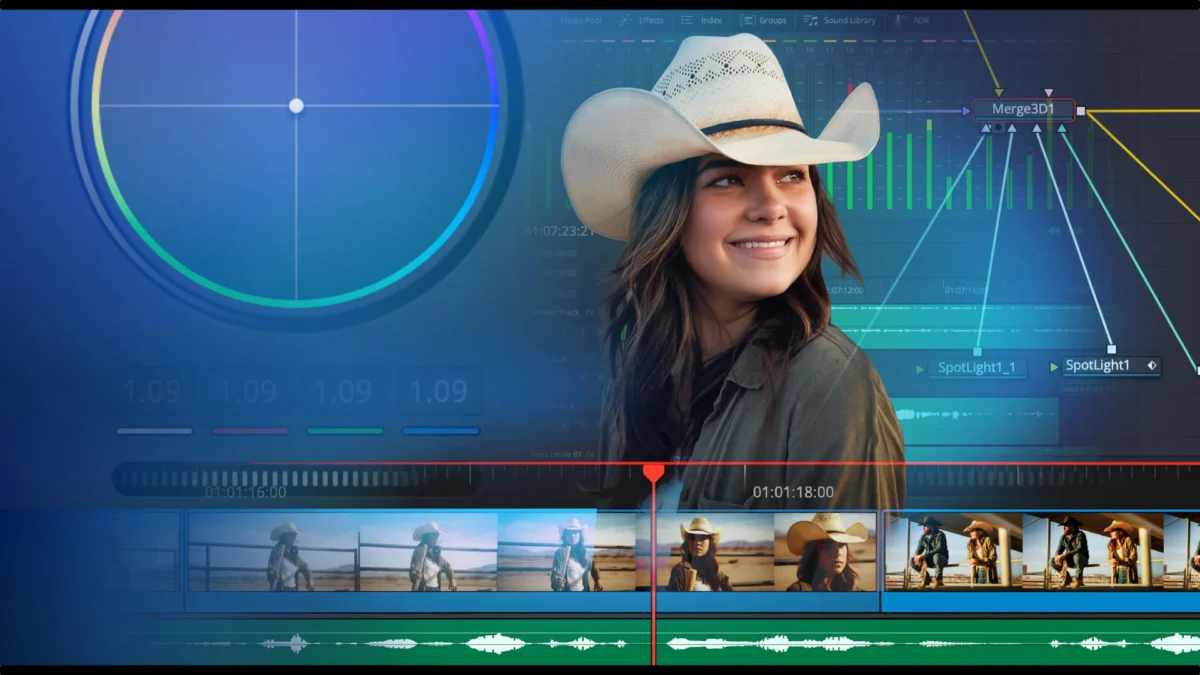
Blackmagic Design has once again demonstrated its relentless commitment to iterative software development with the release of DaVinci Resolve 21.1.2 and Fusion Studio 21.1.2. Coming closely on the heels of the substantial 21.1 update released in September and the subsequent 21.1.1 patch, this latest iteration focuses heavily on refining the user experience, enhancing hardware-accelerated performance, and broadening cross-platform compatibility for its motion graphics toolsets.
For professional editors, colorists, and visual effects artists, the update serves as a critical optimization pass. By addressing specific bottlenecks in timeline navigation, OGraf playback, and AI-driven analysis, Blackmagic is ensuring that its flagship non-linear editor (NLE) remains competitive in an increasingly demanding production environment.
Chronology of the 21.x Development Cycle
The release of version 21.1.2 is the latest chapter in a rapid-fire development strategy that has defined Blackmagic Design’s approach throughout the second half of 2024. The journey began in earnest with the major release of DaVinci Resolve 21.1, which introduced a suite of new features aimed at streamlining collaborative workflows and integrating more AI-driven tools into the edit and fusion pages.
Following the broad rollout of 21.1, the engineering team quickly moved to address user-reported bugs and stability concerns with the 21.1.1 update released earlier this month. The rapid progression to 21.1.2 indicates that Blackmagic is prioritizing a "continuous improvement" model. Rather than forcing users to wait for massive, bi-annual feature drops, the company is opting to push performance patches and minor feature enhancements as soon as they are polished. This cycle has allowed developers to respond to hardware advancements—such as the recent emergence of Apple’s M6 silicon—with surgical precision.
Core Enhancements: Workflow and Performance
The centerpiece of the 21.1.2 update is the significant optimization of the timeline and graphics engines.
Timeline and Edit Point Refinements
The user interface remains the primary workspace for editors, and Blackmagic has introduced improved timeline edit point selection. While seemingly a minor tweak, this enhancement is designed to reduce the "click-cost" of complex edits, allowing editors to snap to transitions and cuts with greater reliability. For those working on long-form projects with hundreds of cuts, these granular improvements in selection logic translate to significant time savings over the course of a day.
The OGraf and Lottie Revolution
Perhaps the most notable performance gain is found in the OGraf playback engine. Users can now expect up to 4x faster playback performance. This is a massive leap for motion designers who rely on OGraf to maintain high-fidelity graphics within their Resolve timelines. Furthermore, the expansion of support for OGraf and Lottie graphics to the Linux platform signifies that Blackmagic is serious about supporting high-end production houses, many of which rely on Linux-based workstations for their render farms and studio pipelines.
Fusion Studio Advancements
Fusion Studio 21.1.2 inherits the OGraf playback improvements, ensuring parity between the standalone application and the Resolve-integrated Fusion page. Additionally, the inclusion of custom clip input and output labels for OpenFX (OFX) plugins allows for more readable node trees. This is particularly beneficial in complex visual effects compositions where managing multiple inputs and outputs can quickly become a logistical nightmare.
Supporting Data: The Power of AI and Silicon Optimization
The "Studio" version of DaVinci Resolve continues to distance itself from the free version, particularly regarding AI-accelerated tasks. The headline news for power users is the performance of IntelliSearch on the new Apple M6 architecture.
The M6 Advantage
Blackmagic reports that IntelliSearch analysis is up to 14x faster on Apple M6 systems running macOS 27. This level of optimization suggests a deep-level integration with the Neural Engine of Apple’s latest silicon. IntelliSearch, which allows editors to find specific clips based on semantic descriptions, has become a cornerstone of the modern Resolve workflow. By reducing the analysis time by over an order of magnitude, Blackmagic is essentially removing the "wait time" from the discovery phase of post-production.
Efficiency Gains Across the Board
It is not just Mac users who are seeing gains. The update also brings optimized performance for AI tools—including the multicam SmartSwitch and various automated mask-tracking features—on Intel-based graphics platforms. Furthermore, the engineering team has successfully optimized Magic Mask caching. By significantly reducing the disk space required for these caches, Blackmagic is acknowledging the storage constraints faced by even the most well-equipped post-production facilities. When working with 8K or RAW footage, the disk space occupied by high-quality masks can balloon rapidly; these optimizations allow for longer sessions without the need for constant cache purging.
Official Responses and Strategic Implications
While Blackmagic Design has maintained its standard policy of letting the software speak for itself, the strategic implications of these updates are clear. By releasing 21.1.2 while offering a 20% discount on DaVinci Resolve Studio until November 20, the company is making a calculated play to capture market share from competitors who may be struggling with subscription-model fatigue or performance plateaus.
The decision to make these updates free for all existing license holders reinforces the "buy-once, own-forever" value proposition that has made Blackmagic a disruptor in the NLE space. By continually adding features like Lottie support and refining AI analysis, they are essentially providing a "living" product that grows in value over time.
Implications for the Industry
The shift toward AI-assisted post-production is no longer theoretical; it is a functional requirement. The fact that Blackmagic is focusing its R&D budget on accelerating IntelliSearch and Magic Masking indicates that the company views the future of editing as a partnership between the human editor and the machine.
The Linux Shift
The inclusion of OGraf and Lottie support for Linux is a quiet but monumental shift. Historically, Linux support in creative software has been treated as an afterthought. By elevating Linux to feature parity with macOS and Windows, Blackmagic is catering to the enterprise sector—studios that require the security and scalability of the Linux environment.
The "Micro-Update" Strategy
The rapid release schedule of 21.1.x suggests that Blackmagic is moving toward a model of constant, incremental improvement. For the end-user, this is a double-edged sword. While it guarantees the latest features and fastest speeds, it also requires a more disciplined approach to project version control. However, the benefits—namely, a faster, more stable, and more intelligent editing suite—far outweigh the minor inconvenience of updating the software.
Final Verdict on Version 21.1.2
DaVinci Resolve 21.1.2 is not a "revolutionary" update in the traditional sense, but it is an essential one. It represents the maturation of the 21.x platform, turning the experimental features of the major September release into a hardened, high-performance toolset.
For the professional editor, the update offers tangible ROI:
- Time: Faster playback and AI analysis mean more time spent on creative decisions.
- Storage: Reduced cache footprints mean less money spent on high-speed NVMe storage.
- Flexibility: Expanded platform support ensures that whether you are on a portable M6 MacBook or a rack-mounted Linux workstation, your project files remain compatible and performant.
As we look toward the end of the year, it is evident that Blackmagic Design is not slowing down. By providing free updates to the Resolve ecosystem, they are fostering a loyal user base that is increasingly reliant on their tools. For those who have been on the fence about upgrading to the Studio version, the current 20% discount, combined with the proven stability of the 21.1.2 build, makes this an ideal time to commit to the ecosystem.
The full changelogs for the update are available via the Blackmagic Design support page. Users are encouraged to perform a full database backup before initiating the update process, as is standard practice in professional post-production workflows. With this release, the gap between the speed of thought and the speed of the software has once again been narrowed, setting a new benchmark for what editors should expect from their primary NLE.
