
The Silent Battle: How to Reclaim Your Digital Privacy from Spam Callers
Spam calls remain one of the most persistent nuisances of the modern digital age. Despite decades of regulatory efforts, technological evolution, and the rise of consumer-focused mobile security, the ringing of a smartphone has shifted from a sign of social connection to a source of anxiety. Yet, the narrative that we are helpless against these intrusions is outdated. Modern operating systems, combined with robust carrier-level tools, have turned the tide, offering users sophisticated, built-in defenses that negate the need for costly third-party subscriptions.
The Evolution of the Spam Plague
The history of the "spam call" is intrinsically linked to the democratization of telecommunications. As VoIP (Voice over IP) technology lowered the cost of mass-dialing, bad actors found a high-reward, low-risk business model. In the early 2010s, the primary defense was the manual blocklist—a cumbersome process where users had to input individual numbers after the damage was already done.
By the mid-2010s, the industry saw the rise of third-party aggregator apps like Truecaller. These services relied on crowdsourced data and massive databases to identify "bad" numbers. While effective, they raised privacy concerns, as they often required access to a user’s own contact list to function. Today, the focus has shifted toward privacy-first, OS-level integration. Both Apple’s iOS and Google’s Android have moved away from reliance on third-party data harvesters, choosing instead to bake intelligent filtering directly into the phone’s architecture.
Carrier-Level Protections: Your First Line of Defense
Before diving into individual phone settings, it is essential to recognize that the battle against spam begins at the network level. Major telecommunications providers—such as Verizon, AT&T, and T-Mobile—now offer "STIR/SHAKEN" protocols, a framework designed to authenticate caller identity and prevent caller ID spoofing.
Most carriers now provide a proprietary app or an online portal toggle that enables network-wide spam blocking. These services intercept suspicious calls before they even reach your device’s radio, effectively silencing them in the cloud. It is recommended that every user logs into their carrier’s customer portal to verify that these "Call Protect" or "ActiveArmor" features are toggled to the "On" position. These are often enabled by default, but firmware updates or account migrations can occasionally reset these preferences.
Mastering Spam Filtering on iPhone
Apple has taken a conservative but highly effective approach to call management. For iPhone users, the path to peace of mind lies within the system settings.

Customizing the Phone Settings
Navigate to Settings > Apps > Phone. The interface is designed for simplicity, but the depth of control is significant. Under the Call Filtering section, ensure that the Spam toggle is active. When enabled, your device cross-references incoming calls against a curated list of known bad actors. If a match is found, the phone does not ring; the call is shunted directly to voicemail, keeping your interaction history clean.
Managing Unknown Callers
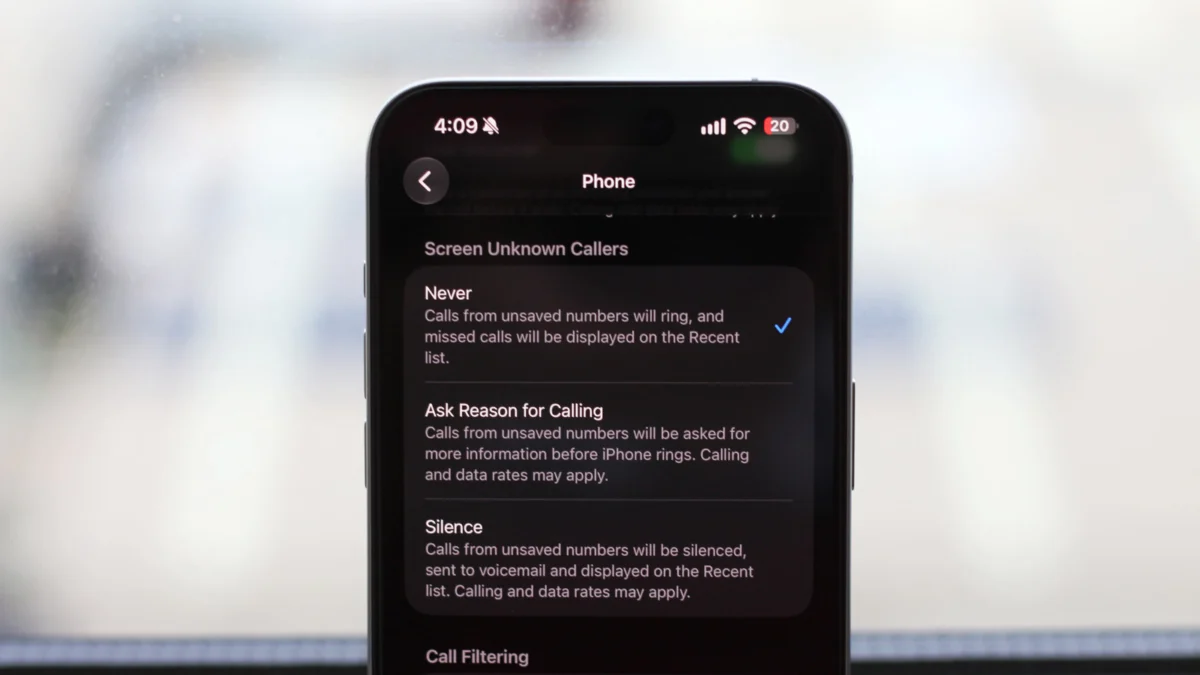
For those who want an extra layer of security, the Silence Unknown Callers toggle is the "nuclear option." When active, any number not found in your Contacts, recent outgoing calls, or Siri Suggestions will be silenced automatically. While this is the most effective way to eliminate spam, it requires the user to be diligent about saving the numbers of doctors, delivery services, and professional contacts.
The Power of Call Screening
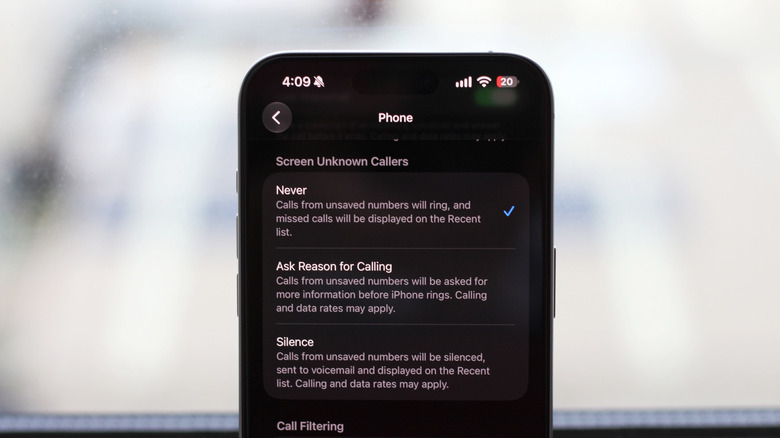
For users on iOS 26 or newer, the Ask Reason for Calling feature represents a quantum leap in user experience. When an unknown call comes in, the phone intercepts it and plays a prompt, asking the caller to state their business. The user sees a live transcript of the caller’s response on the screen. This allows you to differentiate between a critical medical update and an automated solar panel sales pitch without ever having to speak to the caller.
The Android Ecosystem: Intelligent Detection
Android’s approach is arguably more aggressive, leveraging the massive data-processing capabilities of Google’s AI. Because Google operates both the Android OS and the most common default dialer, the integration is seamless.
Utilizing the Google Phone App
The "Phone by Google" app is the gold standard for Android spam defense. To configure it, open the app, tap the three-dot menu (or hamburger menu), and select Settings. Navigate to Caller ID & Spam. Here, you will find two critical toggles:
- See caller and spam ID: This provides a visual warning on your screen if an incoming call is flagged as "Suspected Spam."
- Filter spam calls: This is the automated counterpart to the iPhone’s spam filtering, ensuring your phone remains silent when a known bad actor attempts to reach you.
Advanced Screening for Pixel and Samsung
If you own a Google Pixel or a modern Samsung Galaxy device, you have access to advanced AI-driven screening. On a Pixel, navigating to Settings > Spam and Call Screen allows you to choose how the phone handles unknown callers—ranging from "Silently decline" to "Ring phone for first-time callers."
Samsung users should navigate to their Phone app settings and select Call Screening. This allows you to use Bixby or Google’s automated assistants to handle the conversation for you. These tools are particularly adept at detecting robotic voices, allowing the assistant to terminate the call before it ever interrupts your day.
The Implications of Automated Screening
The shift toward automated screening has profound implications for how we interact with technology. By offloading the "gatekeeper" role to AI, we reclaim the mental bandwidth once occupied by the constant need to verify the authenticity of a ringing phone.
However, there is a trade-off: Vigilance. As we rely more on filters, the risk of "false positives"—legitimate calls being misidentified as spam—increases. This necessitates a proactive approach to contact management. Users must get into the habit of saving the numbers of businesses and service providers they interact with regularly. If a number is not in your phonebook, the system is designed to treat it with suspicion.
Official Responses and Regulatory Outlook
Regulatory bodies, including the Federal Communications Commission (FCC) in the United States, continue to exert pressure on carriers to tighten the net. The implementation of STIR/SHAKEN has been a success, though the "whack-a-mole" nature of the spam industry ensures that scammers continue to find loopholes.
The industry consensus is clear: the solution to spam calls is not a single "magic button," but a multi-layered defense strategy. This includes:
- Regulatory pressure: Forcing carriers to verify identity.
- AI-driven filtering: Using machine learning to detect patterns in call behavior.
- User behavior: Adopting disciplined contact management and leveraging built-in tools rather than third-party apps.
Conclusion: Reclaiming Your Time
Spam calls are an annoyance, but they are no longer an unavoidable tax on our time. By utilizing the built-in, sophisticated tools provided by Apple and Google, and by ensuring your carrier’s protection services are fully active, you can restore your phone to its original purpose: a tool for meaningful communication. The technology to end the "spam plague" is already in your pocket; it simply requires the few minutes of configuration necessary to turn it on. In an age of constant connectivity, the most valuable luxury is the ability to choose who gets your attention—and the power to keep everyone else at bay.
