
Revolutionizing the Cutting Room: Adobe Premiere Pro’s "Paper Edit" Redefines Transcript-Based Workflows
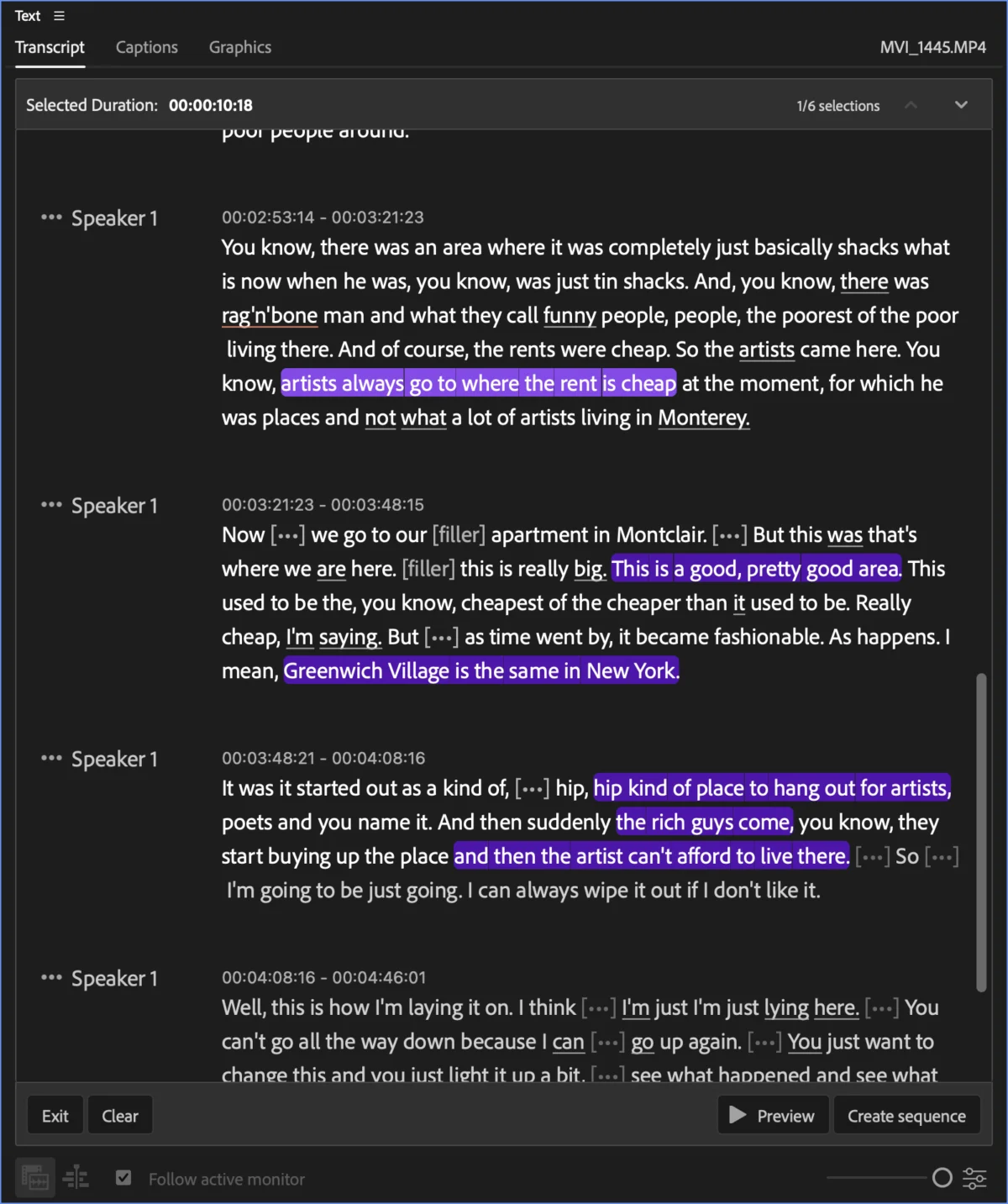
For professional video editors, the transition from traditional timeline-based assembly to transcript-based editing has been nothing short of a paradigm shift. With the release of Adobe Premiere Pro 26.5 (September update), Adobe has introduced a refined, highly efficient feature tucked away in the Text panel: Paper Edit.
While many users have become accustomed to using transcripts for basic navigation, Paper Edit represents a sophisticated leap forward. It allows editors to extract specific, disparate moments from raw footage or existing sequences and instantly compile them into a new, standalone timeline. For those who have spent decades manually logging clips or scrubbing through hours of interview footage, this tool is not merely a convenience—it is a fundamental change in how the creative assembly process begins.
The Evolution of Transcript-Based Editing
To understand the impact of Paper Edit, one must look at the trajectory of digital nonlinear editing (NLE). Twenty years ago, the concept of "paper editing"—where an editor would print a transcript, mark desired dialogue, and then manually find those moments in the timeline—was a laborious, analog-adjacent process. It was a bridge between the physical world of film editing and the digital age.
Over the last three years, the industry has seen an explosion in affordable, automated transcription services integrated directly into NLEs. Adobe Premiere Pro’s Text-Based Editing (TBE) was the spearhead of this movement. However, the original TBE interface was primarily designed for a subtractive workflow: you put a long clip on a timeline, look at the text, and delete the parts you don’t want.
Paper Edit flips this model on its head. It is an additive workflow. It allows the editor to approach a transcript like a highlights reel, picking only the gold nuggets from a haystack of raw media without the overhead of initial timeline clutter.
How Paper Edit Functions: A Step-by-Step Technical Breakdown
The brilliance of Paper Edit lies in its simplicity. Located as a discreet icon within the Text panel, it is easy to overlook, yet it serves as a powerful command center for rapid assembly.
1. Initiating the Workflow
To begin, an editor simply opens the Text panel or switches to the dedicated "Text-Based Editing" workspace. Whether you are dealing with a raw interview file, a piece of b-roll footage, or even a finished, complex sequence, the tool functions universally. Once the transcript is generated and visible, selecting the Paper Edit icon transforms the interface into a selection mode.
2. The Selection Process
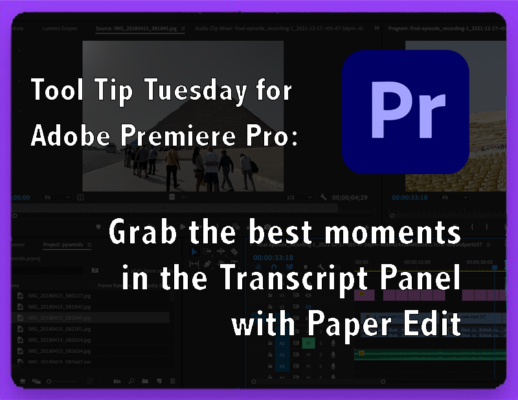
Instead of moving clips to a timeline, the editor highlights specific sentences—or even partial phrases—directly within the transcript. The system is highly responsive, allowing for non-contiguous selections. You can pull a sentence from the beginning of an interview, skip to the middle for a key insight, and grab a concluding thought from the end.
3. Monitoring Progress
As selections are made, a bar at the top of the panel tracks the "Selected Duration" in real-time. This provides an immediate sense of pacing and length, which is crucial for social media editors or documentary filmmakers working to strict time constraints.
4. Sequence Generation
Once the desired sound bites are selected, a single click on "Create New Sequence" triggers the magic. Premiere Pro automatically constructs a new timeline, titled with the original source name followed by "- Paper Edit."
Note for Professionals: It is important to remember that Paper Edit respects the linear order of the source media. If you select a sentence from the end of a clip before a sentence from the beginning, the final sequence will arrange them in their original chronological order, not the order in which they were selected. This ensures that the technical integrity of the source is maintained, even if the creative intent is non-linear.
Strategic Implications: Why This Matters for Modern Editors
The introduction of Paper Edit is not just a software update; it is a change in the editorial philosophy of the modern cutting room.

The Power of Source Sequences
Perhaps the most powerful aspect of Paper Edit is its ability to create "source sequences." In professional workflows, once a Paper Edit is created, it can be loaded into the Source Monitor. This allows an editor to treat a collection of "best moments" as a singular, organized source clip. By nesting these selections, editors can refine their cuts further without ever having to copy and paste chunks of media across multiple timelines. This minimizes the risk of human error and keeps the project file clean and organized.
Efficiency in Social Media and Rapid Turnaround
In the era of short-form content, the ability to grab five or six punchy sound bites from a 30-minute interview in seconds is a competitive advantage. Social media managers and content producers are often required to deliver multiple cuts from a single source. Paper Edit allows them to create a "highlights" sequence in under a minute, significantly reducing the "time-to-publish" metric.
Preserving Metadata and Complexity
When using Paper Edit on a finished, multi-track sequence, the tool intelligently carries over extra tracks. This means that if an editor is looking to create a "best-of" edit from a previously completed project, the audio mix, color, and effects present on the original tracks are preserved in the new Paper Edit sequence.
Industry Context: Official Stance and Future Development
Adobe’s commitment to AI-driven, transcript-based workflows is clear. By prioritizing the Text panel, the developers are signaling that they view the transcript not just as a closed-captioning requirement, but as the primary interface for creative storytelling.
While the current iteration of Paper Edit is highly effective, the community is already clamoring for further enhancements. Specifically, there is significant interest in "rearrangeable sections," where an editor could manually reorder selected clips within the transcript view before generating the sequence. Industry analysts suggest that while this is not yet a feature, the modular architecture of the current system suggests that such capabilities are well within the roadmap for future updates.
Furthermore, Adobe continues to emphasize the collaborative nature of these tools. By making transcript editing more intuitive, they are lowering the barrier to entry for junior editors and producers who may not have the technical expertise of a seasoned NLE veteran, but possess the storytelling instinct necessary to curate compelling narratives.
Conclusion: A New Standard for Assembly
The "Tool Tip Tuesday" series from Adobe and ProVideo Coalition has long served as a bellwether for what professional editors need to stay ahead. Paper Edit is arguably one of the most practical additions to the Premiere Pro ecosystem in years.
By allowing editors to move away from the "delete-to-find-the-good-stuff" method of editing, Adobe has empowered creators to focus on the content itself. Whether you are cutting a feature-length documentary or a 60-second Instagram Reel, the ability to curate and compile with such surgical precision is a game-changer.

As we look toward the future of NLE development, it is clear that the transcript is becoming the map by which we navigate our media. With Paper Edit, Adobe has ensured that this map is not only easy to read but incredibly fast to act upon. For the professional editor, the goal remains the same—to tell the best story possible—but with Paper Edit, the path to that story has never been clearer.
This article is provided as part of a series courtesy of Adobe, aimed at empowering the professional creative community.
